How to Lube Mechanical Switches with Krytox 205G0
If you're looking to enhance the performance and longevity of your mechanical keyboard switches, you've likely come across Krytox 205G0 as a popular lubricant. This silicone-based lubricant is favored by many for its durability and smooth feel, making it a top choice for how to lube mechanical switches krytox 205g0. Proper lubrication can reduce noise, improve actuation, and extend the life of your switches. However, applying it correctly is key to avoiding issues like over-lubrication or damage. This article guides you through the process of lubricating your switches with Krytox 205G0, from preparation to application and maintenance. Whether you're building a custom keyboard or simply looking to optimize your existing one, understanding the right techniques can make all the difference. By following these steps, you'll ensure your switches operate smoothly and reliably over time.
Understanding Krytox 205G0 and Its Role in Switch Lubrication
Krytox 205G0 is a popular synthetic fluorinated lubricant used by mechanical keyboard enthusiasts to enhance switch performance. Its unique properties make it a preferred choice for those looking to improve actuation consistency, reduce noise, and extend the lifespan of their switches.
What Is Krytox 205G0?
Kryto, a brand known for its high-performance lubricants, developed Krytox 205G0 specifically for use in mechanical switches. This lubricant is a fluorinated polyether compound that provides a thin, durable layer of protection. It is available in a clear, viscous form and is designed to resist degradation under various environmental conditions.
Why Use Krytox 205G0 for Switch Lubrication?
Using Krytox 205G0 for switch lubrication offers several benefits. Its low-friction properties help reduce the resistance felt during key actuation, making the typing experience smoother and more consistent. Additionally, Krytox 205G0 is highly durable and can withstand temperature fluctuations, ensuring long-term performance. It is particularly effective for lubricating switch stems, springs, and tactile legs, where it minimizes noise and enhances the tactile feedback. This lubricant is recommended for both linear and tactile switches, as it helps maintain consistent actuation without compromising the switch's mechanical integrity.
Preparing for the Lubrication Process
Proper preparation is key to ensuring a successful and safe lubrication process. Taking the time to gather the right tools and prepare the switch correctly will help prevent contamination and ensure even application of Krytox 205G0.
- Small applicator
- Clean workspace
- Protective gloves
- Lint-free cloth
- Switch disassembly tools
Essential Tools for Krytox Lubrication
The essential tools for Krytox lubrication include a small applicator, which allows for precise and controlled application of the lubricant. A clean workspace is also vital to prevent dust or debris from contaminating the switch. Protective gloves should be worn to avoid transferring oils or dirt from your hands to the switch components.
Cleaning and Preparing the Switch
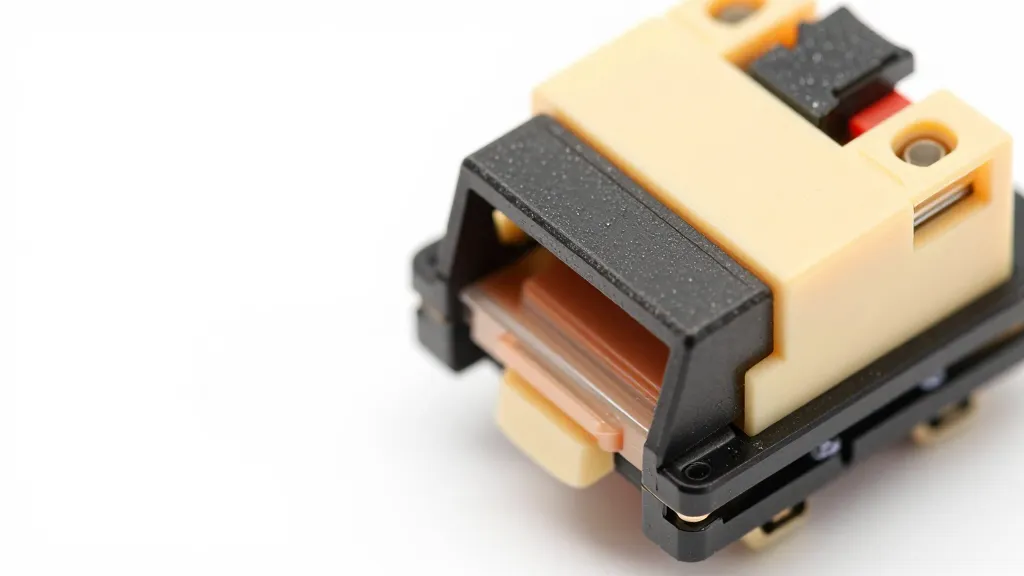
Before applying Krytox 205G0, the switch must be fully disassembled, including removing the stem and springs. This ensures that the lubricant can be applied evenly and that no part of the switch is left untouched. A lint-free cloth is used to clean the switch housing, which helps prevent dust buildup and keeps the internal components free from contaminants. Avoiding contact with the internal parts using bare hands is crucial to prevent oil contamination and maintain the integrity of the switch.
Applying a Thin Coat of Krytox 205G0
Applying Krytox 205G0 to mechanical switches requires precision to ensure optimal performance and longevity. A thin, even layer should be applied to the switch stem and internal components, focusing on areas that experience the most movement. This ensures smooth actuation without compromising the structural integrity of the switch.
How to Apply Krytox 205G0 Correctly
To apply Krytox 205G0 correctly, use a precision applicator or a small syringe to dispense a minimal amount of lubricant. Apply the lubricant to the switch stem and tactile legs, ensuring even coverage without pooling. The lubricant should be spread gently to avoid disrupting the switch’s internal mechanisms. For tactile switches, focus on the stem and the tactile leg to enhance the click feel while maintaining consistent travel resistance.
Avoiding Over-Lubrication
Over-lubrication can lead to dust accumulation and degraded switch performance. Always use a precision applicator to control the amount of Krytox 205G0 applied, as excess lubricant can attract debris and cause long-term issues. After application, allow the lubricant to dry for 24 hours to ensure proper adhesion and prevent migration. This waiting period helps the lubricant bond with the switch components, ensuring it remains in place during regular use.
Best Practices for Maintaining Lubricated Switches
Maintaining lubricated mechanical switches requires consistent care to ensure optimal performance and longevity. Regular inspections and proper lubrication techniques are essential to prevent degradation and maintain smooth actuation.
- Reapply Krytox 205G0 every 3 to 6 months, depending on usage and environmental factors.
- Use a clean applicator each time to prevent cross-contamination.
- Avoid using other lubricants, as they may degrade the performance of Krytox 205G0.
- Regularly check for signs of wear, such as increased friction or unusual noise.
How Often to Re-Lubricate Switches
Reapplying Krytox 205G0 every 3 to 6 months helps sustain its effectiveness and ensures continued smooth switch operation. The frequency may vary based on how often the keyboard is used and the conditions it is exposed to. For example, heavy daily use or exposure to dust and moisture may require more frequent reapplication.
Maintaining Cleanliness and Consistency
Maintaining cleanliness and consistency in your lubrication routine is crucial to preserving the integrity of Krytox 205G0. Always use a new, clean applicator for each application to avoid introducing contaminants that could compromise the lubricant's performance. Consistency in technique and materials also helps prevent unexpected issues with switch behavior.
Common Mistakes to Avoid When Lubricating Switches
Lubricating mechanical switches with Krytox 205G0 can enhance performance, but it's crucial to avoid common pitfalls that may compromise switch functionality. Mistakes like over-lubrication, improper application, or using the lubricant on incorrect components can lead to long-term issues. Understanding these errors and how to prevent them is essential for maintaining optimal switch behavior and longevity.
Avoiding Over-Lubrication
One of the most common mistakes when lubricating mechanical switches is using excessive amounts of Krytox 205G0. Over-lubrication can lead to buildup around the switch housing, which may cause sticking or inconsistent actuation. It can also attract dust and debris, reducing the lubricant's effectiveness over time. A thin, even layer is sufficient to provide smooth movement without compromising switch integrity.
Preventing Damage to Switch Components
Another critical error is applying Kry0x 205G0 to switch springs, which can alter their tension and actuation force. This can result in a less responsive feel or even prevent the switch from functioning correctly. Similarly, lubricating the tactile legs without proper technique can change the switch's click behavior or make it feel dampened. It's important to only lubricate designated areas and ensure a clean, dry surface before application to maintain consistent performance.
Frequently Asked Questions
Can I use Krytox 205G0 on all types of mechanical switches?
Krytox 205G0 is generally safe for most mechanical switches, but it's best to check the manufacturer's recommendations. It works well with linear and tactile switches but may not be ideal for clicky switches due to its low viscosity.
How long does Krytox 205G0 last on a switch?
Krytox 205G0 has a long shelf life and can last several months to a year on a switch, depending on usage. Regular cleaning and reapplication help maintain optimal performance.
Is it safe to lubricate tactile legs with Krytox 205G0?
Lubricating tactile legs with Krytox 205G0 is not recommended, as it can affect the switch's actuation feel and potentially damage the tactile bump. Focus on the stem and housing instead.
What should I do if my switch starts making noise after lubrication?
If your switch makes noise after lubrication, it may be over-lubricated. Clean the switch thoroughly, remove excess lubricant, and reapply a thin coat. Avoid using excessive amounts.
Final Thoughts
Proper lubrication with Krytox 205G0 improves switch performance and longevity. Always apply a thin coat and avoid over-lubrication to prevent issues. Regular maintenance ensures optimal switch function.
To get started, gather the right tools, clean your switch, and apply Krytox 205G0 carefully. Follow best practices for long-term switch health and enjoy smoother, more reliable keystrokes.