Clipping and Lubing Plate Mount Stabilizers for Mechanical Keyboards
For mechanical keyboard enthusiasts, achieving the perfect balance of stability, sound, and tactile feedback often comes down to the setup of plate mount stabilizers. Whether you're dealing with wobbling or noisy stabilizers, the process of clipping and lubing plate mount stabilizers can make a significant difference in your typing experience. This article provides a clear, step-by-step guide to help you master this essential maintenance task. By understanding how these components work and how to properly adjust and lubricate them, you can enhance both the performance and longevity of your keyboard.
We’ll start by explaining how plate mount stabilizers function and when they are most beneficial. Next, you’ll learn the tools and techniques needed to clip them correctly, ensuring a secure fit without compromising their performance. The lubrication process is equally important, as it reduces friction and minimizes unwanted noise, while also improving the feel of each keystroke.
Finally, we’ll cover adjustment techniques and maintenance best practices to keep your stabilizers in top condition. Whether you're a seasoned builder or just starting out, this guide offers practical advice that can help you optimize your mechanical keyboard’s performance through proper clipping and lubing plate mount stabilizers.
Understanding Plate Mount Stabilizers
Plate mount stabilizers are essential components in mechanical keyboards designed to enhance stability and reduce unwanted movement for large keys such as the spacebar or enter key. These stabilizers are engineered to counteract the natural wobbling that occurs when pressing keys with a wide surface area, ensuring a smoother and more consistent typing experience.
How Plate Mount Stabilizers Work
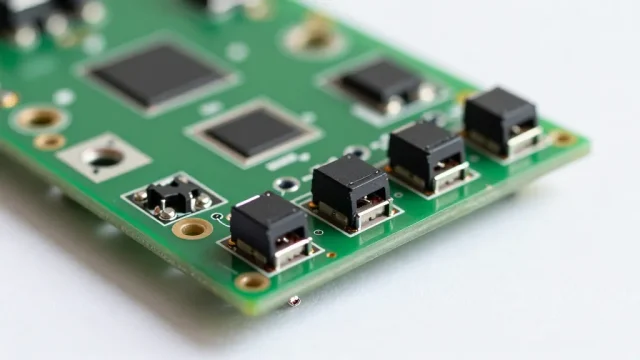
Plate mount stabilizers are typically mounted on the keyboard's PCB and connected to the keycap through a stem or bracket. This design allows the stabilizer to act as a pivot point, distributing the force across multiple contact points and minimizing lateral movement. The stabilizer's structure is often made of metal or durable plastic, providing both rigidity and flexibility to accommodate the key's motion.
When to Use Plate Mount Stabilizers
Stabilizers are particularly beneficial for keys with a large footprint, such as the spacebar, enter key, or arrow keys, which are prone to wobbling due to their size and the pressure applied during typing. They are also useful in keyboards with a low-profile switch layout, where the lack of a dedicated stabilizer can lead to a less stable feel. Choosing the right stabilizer type and ensuring proper installation are crucial for achieving the desired performance and longevity.
Clipping Plate Mount Stabilizers
Clipping plate mount stabilizers is a crucial step in ensuring your mechanical keyboard operates smoothly and quietly. Proper clipping secures the stabilizer to the PCB, preventing unwanted movement and vibration that can lead to noise or inconsistent tactile feedback. This process requires precision and the right tools to achieve optimal results.
- Use a screwdriver or stabilizer clip tool to attach the stabilizer properly.
- Ensure the stabilizer is aligned and tight to avoid rattling or noise.
- Check for any gaps between the stabilizer and the PCB to prevent vibration.
- Repeat the process for all stabilizers to maintain consistency across the keyboard.
Tools Required for Clipping
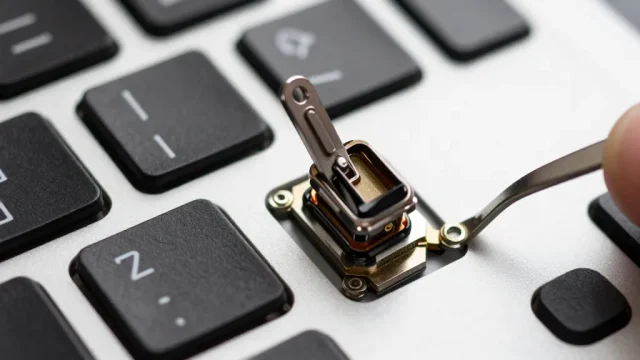
The tools required for clipping plate mount stabilizers are simple but essential. A screwdriver, typically a small Phillips head, is used to secure the stabilizer to the PCB. Alternatively, a stabilizer clip tool can be used to apply even pressure and ensure a firm connection. Having the right tool helps prevent damage to the stabilizer or PCB during the installation process.
Step-by-Step Clipping Process
The step-by-step clipping process begins by aligning the stabilizer with the PCB mount. Once positioned, use the screwdriver or clip tool to secure the stabilizer in place. Apply gentle but firm pressure to ensure the stabilizer is tight and fully seated. Avoid over-tightening, as this can distort the stabilizer or make it difficult to remove later. Once clipped, test the stabilizer for movement or noise to confirm it is properly attached.
Lubing Plate Mount Stabilizers
Lubrication plays a crucial role in enhancing the performance of plate mount stabilizers by reducing friction and ensuring smooth, consistent movement. Proper lubrication can significantly improve the tactile feel and reduce noise, making the typing experience more enjoyable. However, selecting the right lubricant and applying it correctly is essential to avoid over-lubing, which can lead to performance issues or damage.
Choosing the Right Lubricant
Choosing the right lubricant depends on the type of stabilizer and the desired outcome. Dielectric grease is a popular choice due to its electrical insulation properties and ability to prevent corrosion. Krytox, a fluoropolymer-based lubricant, is often preferred for its long-lasting performance and resistance to high temperatures. Silicone-based oils are another option, offering a smooth feel and good durability. Each lubricant has its own trade-offs, so it's important to consider factors like consistency, temperature resistance, and compatibility with stabilizer materials.
How to Apply Lubricant to Stabilizers
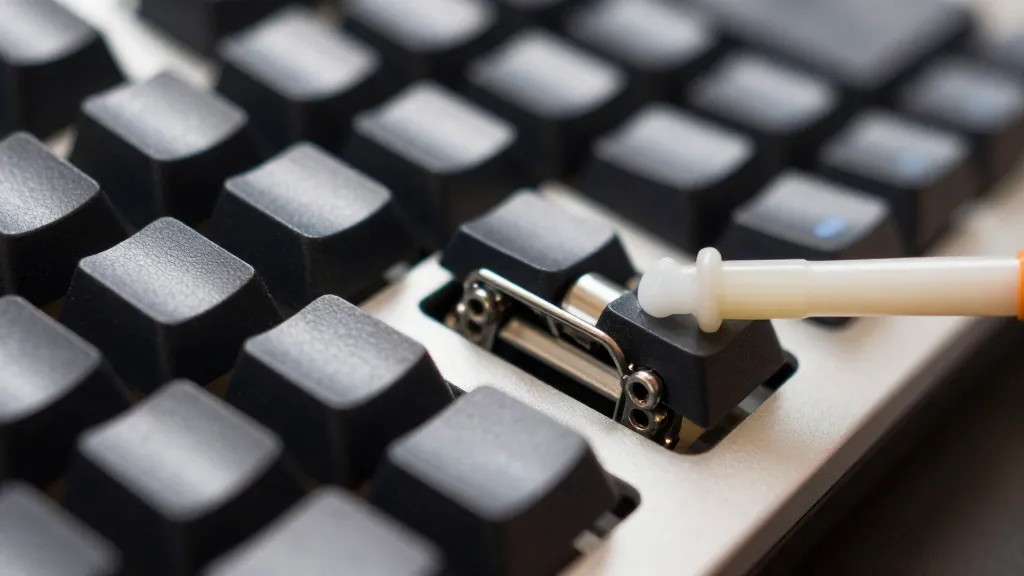
Applying lubricant requires precision to ensure even coverage without over-saturation. Start by disassembling the stabilizer and cleaning the internal components to remove any debris or old lubricant. Apply a small amount of lubricant to the pivot points and moving parts, using a fine applicator or a Q-tip for controlled application. Allow the lubricant to settle and dry before reassembling the stabilizer. Avoid excessive use, as over-lubing can cause the stabilizer to feel sluggish or create a sticky response. Regular maintenance and careful application will help preserve the stabilizer's performance over time.
Stabilizer Mount Adjustment Techniques
Adjusting the stabilizer mount is a critical step in optimizing the performance of your mechanical keyboard. By fine-tuning the mount, you can enhance the tactile feedback, reduce noise, and achieve a more consistent feel across all keys. Whether you're using a stabilizer tuning tool or making manual adjustments, the goal is to find the perfect balance between stability and responsiveness.
- Use a stabilizer tuning tool to precisely adjust the mount's position. This tool allows for micro-adjustments that can significantly impact the stabilizer's movement and sound.
- If a tuning tool isn't available, manually adjust the stabilizer by gently twisting or pushing the mount. This method requires patience and careful observation to avoid over-tightening or misalignment.
- Test the stabilizer after each adjustment by typing or gaming to evaluate the feel and sound. Pay attention to any inconsistencies or unwanted noise that may arise.
- Refine your setup by making small incremental changes. It's important to test each adjustment thoroughly before finalizing your configuration.
Adjusting the Mount for Better Feel
Adjusting the mount for better feel involves balancing the stabilizer's movement and resistance. A well-adjusted mount ensures that the stabilizer remains stable during key presses while still providing a satisfying tactile response. This balance is essential for both typing comfort and long-term durability.
Testing and Refining Your Setup
Testing and refining your setup is an ongoing process that requires attention to detail. After making adjustments, it's important to evaluate the stabilizer's performance under real-world conditions. This includes typing, gaming, and even idle use to catch any subtle issues that may not be apparent during initial testing.
Best Practices for Stabilizer Maintenance
Proper maintenance of plate mount stabilizers ensures consistent performance and prolongs their lifespan. Regular cleaning and inspection help prevent issues like sticking, noise, or inconsistent actuation, while mindful replacement practices avoid unnecessary wear on your keyboard.
Cleaning and Replacing Stabilizers
Cleaning your stabilizers should be a routine part of your keyboard upkeep. Use a soft brush or compressed air to remove dust and debris from the housing and internal components. For deeper cleaning, a mild isopropyl alcohol solution can be used sparingly to wipe down the stabilizer without damaging the housing or internal spring. Always ensure the stabilizer is completely dry before reassembling to avoid moisture-related issues.
Maintaining Long-Term Performance
Replacing stabilizers should be done only when they show signs of significant wear, such as sticking, inconsistent keystroke feedback, or excessive noise. Avoid over-tightening or forcing stabilizers during installation, as this can damage the housing or internal components. When replacing, choose stabilizers that match your keyboard's design and intended use, whether for typing, gaming, or both. Regular maintenance not only preserves the feel of your keyboard but also ensures long-term reliability and performance.
Frequently Asked Questions
What is the best lubricant for plate mount stabilizers?
The best lubricant for plate mount stabilizers is typically a high-quality, low-viscosity lubricant such as PTFE-based grease or silicone-based lubricant. These options offer smoothness and durability without attracting debris.
How do I know if my stabilizer is clipped properly?
A properly clipped stabilizer should feel stable and not wobble when pressed. If the stabilizer feels loose or noisy, it may require adjustment or re-clipping to ensure a secure fit.
Can I use dielectric grease on plate mount stabilizers?
Yes, dielectric grease can be used on plate mount stabilizers, but it is not recommended due to its high viscosity and tendency to attract dust. It may also affect the tactile feel of the stabilizer.
What tools do I need to clip stabilizers on a mechanical keyboard?
To clip stabilizers on a mechanical keyboard, you will need a stabilizer clip tool, a flathead screwdriver, and possibly pliers. These tools help in securing the stabilizer mount correctly without damaging the keyboard.
Final Thoughts
Proper clipping and lubing of plate mount stabilizers significantly improves the typing experience on a mechanical keyboard. By following the outlined steps and using the right tools and lubricants, you can achieve a smoother, more consistent feel.
To maintain long-term performance, regular cleaning and adjustment are essential. If you're looking to enhance your keyboard's feel, consider experimenting with different lubricants and clipping techniques.