Pe Foam Mod Keyboard Sound Effect: Enhancing Audio with Marbly Pop and ESD Safety
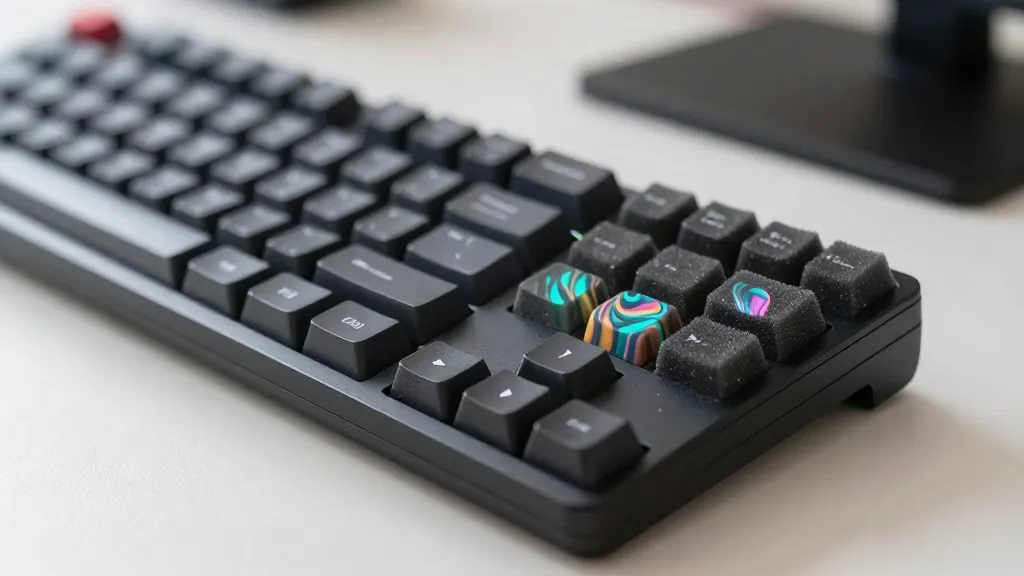
For keyboard builders and modders, achieving a satisfying sound from your mechanical keyboard is a common goal. One popular method to enhance audio output is the pe foam mod keyboard sound effect, which uses polyethylene foam to alter key actuation and produce a unique auditory experience. This technique can transform the feel and sound of your keyboard, offering a more tactile and audible response. However, it's essential to balance these modifications with electrical safety, especially when working with sensitive components.
This article explores the pe foam mod keyboard sound effect in depth, guiding you through the process of achieving a marbly pop sound while ensuring ESD safety. We'll break down how the pe foam mod works, how to customize its sound, and the best practices to protect your keyboard from static discharge. Whether you're a seasoned modder or just starting out, these insights will help you make informed decisions.
From installation steps to comparisons with other sound enhancement methods, this guide covers everything you need to know about the pe foam mod. By understanding the trade-offs and techniques involved, you can create a keyboard that not only feels great but also sounds impressive—without compromising on safety.
Understanding the Pe Foam Mod for Keyboard Sound
The Pe Foam mod is a popular technique among keyboard modders seeking to enhance the acoustic output of their mechanical keyboards. By replacing the standard switch housing with a foam layer, this mod alters the way sound is produced and transmitted, offering a unique auditory experience. It is particularly favored by users who want to customize the sound profile of their keyboard, whether for a more subdued or more pronounced effect.
What Is the Pe Foam Mod?
The Pe Foam mod involves using a layer of polyethylene (PE) foam to replace the original switch housing in a mechanical keyboard. This foam is typically cut to fit the switch and placed between the switch and the PCB. The thickness and density of the foam determine the extent of the sound modification, allowing for a range of tonal adjustments. This technique is favored for its simplicity and the fact that it can be applied to various switch types without significant structural changes to the keyboard.
How Does It Affect Sound?
By introducing a foam layer, the Pe Foam mod changes the acoustic properties of the keyboard. The foam absorbs and dampens certain frequencies, leading to a more muffled or 'marbly' sound effect. This effect is particularly noticeable with clicky switches, where the mod can reduce the sharpness of the click while maintaining a tactile feel. The sound produced can be customized by adjusting the foam thickness, offering a balance between clarity and muffled tones.
Achieving a Marbly Pop Sound with Pe Foam
The marbly pop sound is a distinctive audio effect produced by the pe foam mod, offering a unique auditory experience for keyboard users. This sound is marked by a soft, muffled 'pop' that occurs when a key is pressed, adding a tactile and auditory dimension to the typing experience.
What Is a Marbly Pop Sound?
The marbly pop sound is created by the interaction between the pe foam and the key switch, resulting in a subtle yet noticeable audio cue. This effect is not merely an addition but a fundamental part of the pe foam mod's design, enhancing the user's interaction with the keyboard. The sound is often described as a gentle, muffled pop that adds a sense of feedback without being intrusive.
Customizing the Sound with Foam Layers
Customizing the sound with foam layers allows users to fine-tune the auditory output of their keyboard. By adjusting the thickness and type of foam used, modders can influence the clarity and depth of the marbly pop sound. Thicker foam tends to produce a more pronounced effect, while thinner layers may offer a subtler experience. Experimenting with different foam materials can further enhance or alter the sound profile, enabling users to achieve their preferred auditory balance.
Implementing ESD Safety During the Mod
Electrostatic discharge (ESD) poses a significant risk to keyboard components during the modding process, potentially causing irreversible damage to switches, circuit boards, and other sensitive electronics. Implementing ESD safety measures is crucial to preserving the integrity of your build and ensuring long-term reliability.
Why Is ESD Safety Important?
ESD can accumulate from everyday activities such as walking on synthetic floors or handling plastic materials, and it can discharge through your body or tools when working with keyboard components. This discharge can damage switch contacts, microcontroller boards, and even the internal wiring of your keyboard. Sensitive electronics in mechanical keyboards are particularly vulnerable to static voltages that exceed their tolerance levels, leading to malfunctions or complete failure.
Best Practices for ESD Protection
To prevent ESD damage, use a conductive foam mat or an anti-static wrist strap to ground yourself while working. These tools provide a safe path for static electricity to dissipate, preventing it from reaching your keyboard components. Additionally, avoid direct contact with switch contacts and internal circuitry by using insulated tools or gloves. Keeping your workspace clean and free of static-generating materials also helps minimize the risk of ESD incidents during the modding process.
Step-by-Step Guide to Installing the Pe Foam Mod
Before beginning the installation, ensure you have all necessary tools and materials. This includes a screwdriver set, a small flathead tool, pe foam sheets, and a clean workspace. It is also important to wear anti-static wrist straps or grounding mats to prevent static discharge, especially when handling sensitive electronic components.
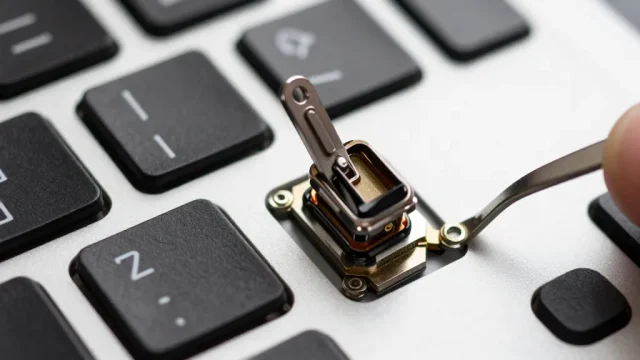
- Disassemble the keyboard by removing the keycaps and switch housings. Use a screwdriver to take off the top plate and expose the switch sockets.
- Carefully remove the switch stems from the housing. This can be done by gently pushing the stem upwards while applying slight pressure to the switch body.
- Cut the pe foam to fit snugly between the switch housing and the switch stem. Ensure the foam is thin enough to allow proper switch movement without restricting travel.
- Insert the pe foam layer between the switch housing and stem. This placement helps to create the marbly pop sound effect by dampening and modulating the switch's movement.
Comparing Pe Foam Mod with Other Sound Enhancement Techniques
When choosing a sound enhancement method for your keyboard, it's important to compare the Pe Foam Mod with other popular techniques like switch spring swaps and lubrication. Each method has its own sonic characteristics and impact on the build process, helping you decide which option best suits your goals.
| Feature | Pe Foam Mod | Switch Spring Swap | Lubrication Techniques |
|---|---|---|---|
| Sound Characteristics | Adds a marbly pop with a soft, layered feel | Changes actuation force and tactile feedback | Smooths out key presses with reduced clack |
| Complexity | Moderate: requires cutting and shaping foam | Moderate: involves disassembling switches | Low: applies lubricant to switch components |
| Performance Impact | Enhances audio without altering switch behavior | Alters switch actuation and tactile response | Reduces noise but may affect switch longevity |
| Customization | Allows layering for varied sound profiles | Limited to spring type and tension | Offers fine-tuned control over key noise |
Pe Foam Mod vs Switch Spring Swaps
The Pe Foam Mod stands out for its ability to enhance audio without fundamentally changing switch behavior, making it ideal for those who want a richer sound without compromising switch integrity. In contrast, a switch spring swap can drastically alter the tactile response and actuation force, which may be preferable for users seeking a more mechanical or clicky feel. Both methods offer distinct sound profiles, and the choice between them often depends on whether you prioritize audio enhancement or tactile customization.
Pe Foam Mod vs Lubrication Techniques
Lubrication techniques provide a different approach to sound modification, focusing on reducing key noise through smoother internal movement. While effective for quieting switches, they may not offer the same level of audio depth as the Pe Foam Mod. Combining Pe Foam with lubrication can yield a more nuanced result, balancing the marbly pop with a smoother key press. This hybrid approach allows for greater customization, though it requires more time and attention to detail during the modding process.
Frequently Asked Questions
How does the pe foam mod affect the tactile feedback of a keyboard?
The pe foam mod enhances tactile feedback by adding a layer of cushioning beneath the switch. This creates a more pronounced click or tactile response, improving the user's sense of actuation and making each keystroke feel more satisfying and precise.
Can I use any type of foam for the pe foam mod?
It's recommended to use PE foam specifically designed for keyboard mods due to its durability and acoustic properties. Other foams may not provide the same level of sound enhancement or tactile feedback, and could potentially damage the switch or keyboard housing.
What are the risks of not following ESD safety precautions during the mod?
Neglecting ESD safety can lead to static discharge that may damage sensitive electronic components in the keyboard. This can result in malfunctioning switches, erratic behavior, or permanent damage, which can be costly to repair or replace.
Is the pe foam mod compatible with all types of mechanical switches?
The pe foam mod is generally compatible with most mechanical switches, but results can vary depending on the switch's design and housing. Some switches may require additional modifications or may not benefit as much from the mod due to their construction.
Final Thoughts
The pe foam mod is an effective method for enhancing keyboard sound and tactile feedback. By customizing foam layers and adhering to ESD safety protocols, users can achieve a more satisfying typing experience. The mod offers a balance between sound enhancement and switch performance, making it a popular choice for keyboard enthusiasts.
For those looking to improve their keyboard's audio and tactile response, the pe foam mod is a practical and rewarding option. Start by selecting the right foam and ensuring proper ESD protection to maximize the mod's benefits.